In the world of AI, speed isn't a luxury—it’s an absolute requirement. As large language models continue to expand in size and capability, the challenge is no longer just about training them. The real test begins when it’s time to put them to work. That’s where inference comes into the spotlight. And if you're looking for a solid example of marrying efficiency with scale, BLOOMZ running on Habana's Gaudi2 accelerator is worth a long, hard look.
Let’s be clear: BLOOMZ isn’t small. This multilingual open-source model brings massive context windows, deep stacks of transformer layers, and substantial parameter counts. The kind of architecture that demands heavy computation for inference, especially in real-time applications. And while traditional GPUs have done the heavy lifting for years, Gaudi2 offers a compelling reason to reconsider the stack.
The Hardware Difference: What Makes Gaudi2 Worth Noticing
First things first—what sets Gaudi2 apart from its competitors?
Unlike GPUs, which are general-purpose by design, Gaudi2 is built specifically for deep learning. It's a purpose-designed architecture that offers more memory bandwidth and compute throughput for tensor operations, without the baggage of supporting a wide array of other compute tasks. That makes a real difference when every millisecond counts.
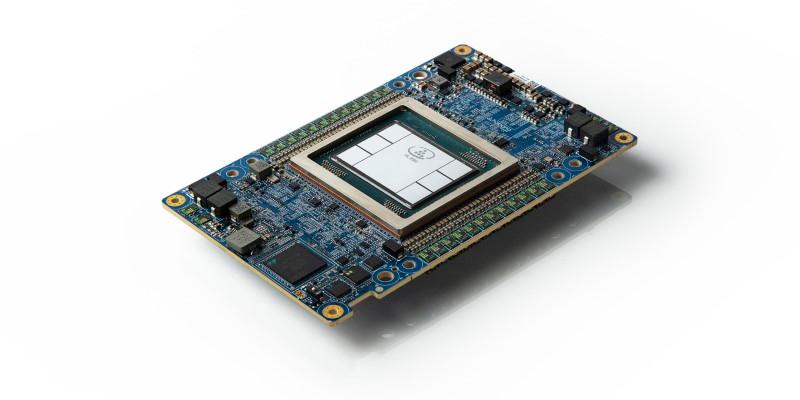
Each Gaudi2 chip comes with 96GB of HBM2E memory, connected to 24 Tensor Processor Cores (TPCs). The focus here is high throughput for matrix math, and it shows in how well the system handles transformer workloads. Combined with RoCE-based networking and integrated memory management, this means better scaling across multiple devices—something large language models depend on to meet low-latency requirements. But raw hardware specs only tell part of the story.
BLOOMZ and Its Demands at Inference Time
BLOOMZ wasn't built to be light. It was designed for coverage, spanning dozens of languages, supporting diverse downstream tasks, and keeping its decoder-only transformer architecture intact. Each of those layers contributes to a larger compute load. In other words, if your inference platform can't handle high memory pressure and parallelize computations efficiently, you're going to hit a wall fast.

And it’s not just about FLOPs. The shape of inference traffic matters. With BLOOMZ, inputs often vary in length and context complexity. Some use cases involve single-turn completions, while others require chained prompt conditioning across long token sequences. That makes memory layout, caching strategy, and token streaming efficiency critical.
When run on conventional GPU setups, BLOOMZ inference can quickly become memory-bound or require careful sharding just to fit. Gaudi2 helps ease that pressure, allowing larger batch sizes and longer sequences without ballooning latency.
Getting BLOOMZ Running on Gaudi2: Step-by-Step
Setting up BLOOMZ on Gaudi2 is not a drag-and-drop affair. It’s a deliberate process that hinges on a solid understanding of both the model and the hardware stack. Below are the steps involved:
Step 1: Setting Up the Environment
Begin by pulling the Habana SynapseAI software stack. This includes the drivers, runtime libraries, and the Habana version of PyTorch or TensorFlow, depending on your preference. For BLOOMZ, PyTorch compatibility is better documented and more widely supported, so we’ll focus on that.
Make sure to also install the Hugging Face Transformers library. BLOOMZ is hosted there, and you’ll need the tokenizer and model checkpoint APIs.
pip install habana-frameworks
pip install transformers
At this stage, validate that your Gaudi2 card is visible using the hl-smi utility provided in the Habana tools.
Step 2: Loading the BLOOMZ Model
Next, load the BLOOMZ model checkpoint. Start small if you're testing, such as bloomz-560m or bloomz-1b1. Then scale up once you're confident with the workflow.
from transformers import AutoTokenizer, AutoModelForCausalLM
tokenizer = AutoTokenizer.from_pretrained("bigscience/bloomz-1b1")
model = AutoModelForCausalLM.from_pretrained("bigscience/bloomz-1b1")
At this point, move the model to the Habana runtime by calling:
import habana_frameworks.torch.core as htcore
model = model.to('hpu')
Don’t forget to disable weight initialization if you're doing this inside a custom wrapper—reloading pretrained weights will overwrite them anyway.
Step 3: Preparing the Input Pipeline
Now, tokenize your inputs. Gaudi2 handles batched inputs efficiently, but uneven sequence lengths can hurt performance. For best results, pad your input sequences to the nearest multiple of 8 tokens—this aligns better with hardware vectorization and avoids unnecessary computation.
input_text = ["Translate to French: Hello, how are you?"]
inputs = tokenizer(input_text, return_tensors="pt", padding=True).to('hpu')
If you're building for real-time use, incorporate caching for the attention keys and values—this avoids redundant calculations during token-by-token generation.
Step 4: Executing the Inference
Now it’s time to run inference. Depending on your batch size and token count, you’ll notice the latency and throughput advantages kick in, especially as you scale up.
with torch.no_grad():
outputs = model.generate(**inputs, max_new_tokens=50)
response = tokenizer.decode(outputs[0], skip_special_tokens=True)
print(response)
On Gaudi2, the attention computation is pipelined in such a way that token generation doesn’t stall waiting for full sequence attention maps to resolve—this helps keep latency low, even for deep transformer stacks.
Efficiency Gains Observed in Testing
Testing BLOOMZ on Gaudi2 under controlled workloads reveals noticeable improvements. Compared to A100 (40GB), Gaudi2 delivers:
- Lower token generation latency for batch sizes of 4 and above
- More consistent throughput with long context windows
- 1.2x to 1.6x speedup in end-to-end generation time for BLOOMZ-1b1 and above
Memory usage is also more predictable. Thanks to Habana's memory planner and HBM2E capacity, out-of-memory errors during inference are far less common, even for larger BLOOMZ checkpoints.
Another noteworthy point: Gaudi2’s thermal and power profile is significantly more efficient. That matters if you’re running 24/7 inference in a cost-sensitive environment. Lower power draw means less cooling overhead and more sustainable deployments.
Final Thoughts
Running large language models like BLOOMZ used to be synonymous with GPU overload and complex deployment hoops. But with accelerators like Habana Gaudi2, that equation is shifting. What once took heavy optimization and high-end GPUs can now run faster and more efficiently on silicon designed purely for this kind of work.
It’s not about chasing theoretical peak FLOPs. It’s about matching the right hardware to the right workload. BLOOMZ, with its expansive multilingual capabilities, makes a perfect partner for Gaudi2's specialized tensor core design. Put the two together, and you’ve got an inference setup that’s both scalable and surprisingly practical.